How to edit the abcdesktop configuration file
Th abcdesktop configuration file name is od.config.
This file has the cherrypy file format.
When the pyos process starts, it read the od.config file.
If something is wrong, the pyos process hangs. The command line kubectl logs -l name=pyos-od -n abcdesktop write the pyos log on stdout.
Edit your configuration file
If the od.config file does not exist, extract it from the abcdesktop-config configmap to a local file od.config
kubectl -n abcdesktop get configmap abcdesktop-config -o jsonpath='{.data.od\.config}' > od.config
You get a the new local file od.config
To make change, edit your own od.config file with your favorite file editor:
vim od.config
Make changes
Change the defaultbackgroundcolors option in the desktop options.
Locate the line desktop.defaultbackgroundcolors and update the first entries with the values '#FF0000', '#FFFFFF', '#0000FF'
desktop.defaultbackgroundcolors : [ '#FF0000', '#FFFFFF', '#0000FF', '#CD3C14', '#4BB4E6', '#50BE87', '#A885D8', '#FFB4E6' ]
Save your local file od.config.
json dictionary
    If you define a dictionary, you must close the `}` on the same last line. for example
    authmanagers: {
      'external': {},
      'explicit': {},
      'implicit': {}}
Apply changes
To apply changes, you have to replace the abcdesktop-config, by running the replace kubectl command line option. Then rollout restartthe pyos pod.
kubectl create -n abcdesktop configmap abcdesktop-config --from-file=od.config  -o yaml --dry-run | kubectl replace -n abcdesktop -f -
kubectl rollout restart deployment pyos-od -n abcdesktop
You've done it.
Check your changes
To check that the new colours are presents in front, open the url http://localhost:30443, in your web browser, to start a simple abcdesktop.io container.
http://localhost:30443
You should see the abcdesktop.io home page.
Press the Sign-in Anonymously, have look
At the right top corner, click on the menu and choose Settings, then click on Screen Colors
Choose your colour and you should have it as background colour :
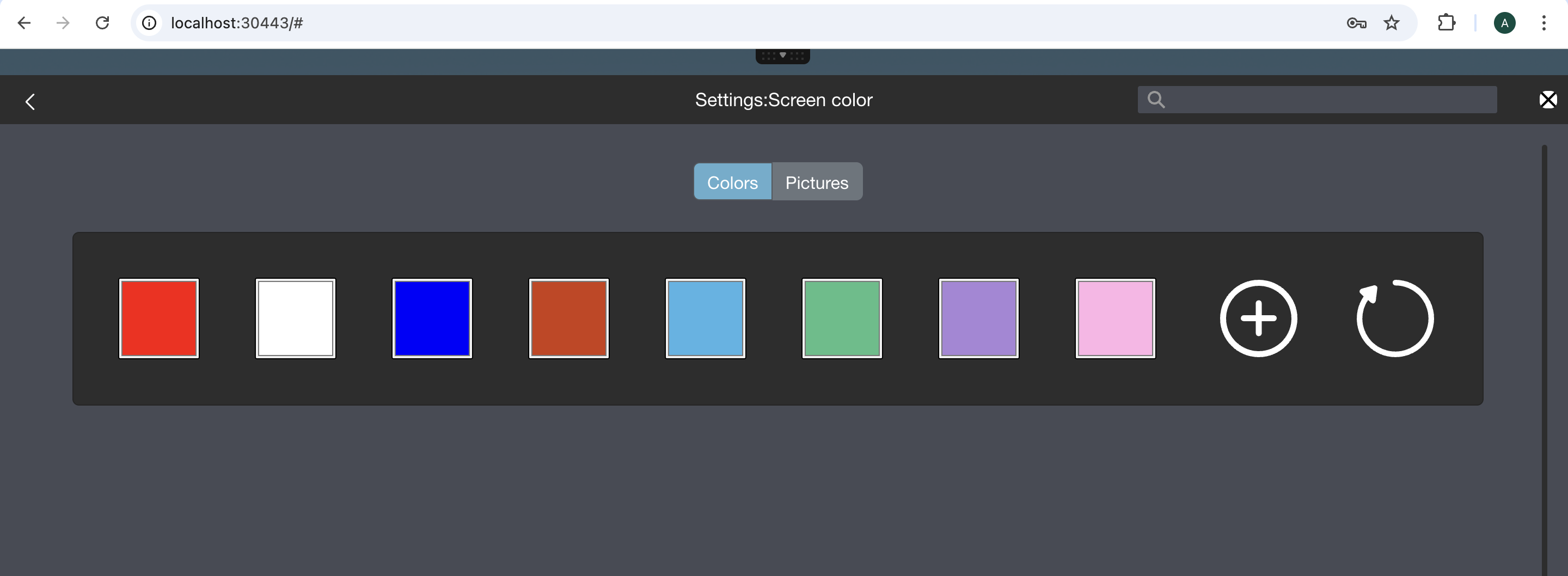
Great, you can easily update your configuration file od.config.