executeclasses
The executeclasses defines the resources for the desktop pods and for applications.
executeclasses defines how to adjust the resources for your pods either by creating rules or by allowing your users to select from the resources already defined.
The executeclasses is a dictionary, each entry describes the resources.
executeclasses dictionary
executeclasses : {
  'default':{
    'nodeSelector':None,
    'description': 'default: up to 4 CPU cores and 8Gi',
    'runtimeClassName': None,
    'resources':{
      'requests':{'memory':"576Mi",'cpu':"220m"},
      'limits':  {'memory':"8Gi",'cpu':"4000m"}
    }
  },
  'bronze':{
    'nodeSelector':None,
    'runtimeClassName': None,
    'description': 'bronze: up to 2 CPU cores and 8Gi',
    'resources':{
      'requests':{'memory':"576Mi",'cpu':"220m"},
      'limits':  {'memory':"8Gi",'cpu':"2000m"}
    }
  },
  'silver':{
    'nodeSelector': None,
    'description': 'silver: 4 CPU cores and 32Gi RAM',
    'runtimeClassName': None,
    'resources':{
      'requests':{'memory':"2Gi",'cpu':"2000m"},
      'limits':{'memory':"32Gi",'cpu':"4000m"}
    }
  },
  'gold':{
    # give a gpu to graphical container
    'containers' : { 'graphical': { 'resources': { 'limits': { 'nvidia.com/gpu':'1' } } } },
    'nodeSelector':{'nvidia.com/gpu': 'true'},
    'description': 'gold: 4 CPU cores, 32Gi RAM and 1 GPU',
    'runtimeClassName': 'nvidia',
    'resources':{
      'requests':{'memory':"2Gi",'cpu':"4000m"},
      'limits':  {'memory':"32Gi",'cpu':"4000m"}
    }
  },
  'platinum':{
    # give a gpu to graphical container
    'containers' : { 'graphical': { 'resources': { 'limits': { 'nvidia.com/gpu':'1' } } } },
    # nodeselector optional
    'nodeSelector':{'nvidia.com/gpu': 'true'},
    # this appears only on web interface
    'description': 'platinum: 8 CPU cores, 128G RAM and 1 GPU',
    'runtimeClassName': 'nvidia',
    'resources':{
      'requests':{'memory':"4Gi",'cpu':"4000m"},
      'limits':{'memory':"128Gi",'cpu':"8000m"}
    }
  }}
The entry 'default' must exist.
| key | type | Description | Values |
|---|---|---|---|
| containers | dict | update the container with dict values | { 'graphical': { 'resources': { 'limits': { 'nvidia.com/gpu':'1' } } } } |
| nodeSelector | dict | update the nodeSelector with dict values | {'nvidia.com/gpu': 'true'} |
| description | string | show description in the login page | 'platinum: 8 CPU cores, 128G RAM and 1 GPU' |
| runtimeClassName. | string | (optional) name of the runtime class | 'nvidia' |
| resources | dict | pods resources | { 'requests' {'memory':"4Gi",'cpu':"4000m"}, 'limits':{'memory':"128Gi",'cpu':"8000m"} } |
Define the executeclassname value
The executeclassname variable is an entry in the executeclasses dictionary. It defines the resources, nodeSelector and runtimeClassName of a user's pod.
The executeclassname value is set during the auth process.
By himself, a user can to choose the executeclassname value from a list, or set the executeclassname value using rules.
If the executeclassname is not set the executeclassname is set to the string default and the executeclasses is set to executeclasses['default'].
Set executeclassname by rules
Update your od.config file to add a new rule. The label of the rule must be executeclassname, and the load will set the value of the executeclassname.
    'rule-executeclass': {
            'conditions' : [ { 'memberOf': 'cn=ship_crew,ou=people,dc=planetexpress,dc=com',   'expected' : True  } ],
            'expected' : True,
            'label':'executeclassname',
            'load': 'silver'
    },
If the user is 'memberOf' the group 'cn=ship_crew,ou=people,dc=planetexpress,dc=com' when the label executeclassname is set to the value silver
A full example of the ldapconfig becomes like this one.
ldapconfig : {
    'planet': {
            'default'       : True,
            'ldap_timeout'  : 15,
            'ldap_protocol' : 'ldap',
            'ldap_basedn'   : 'ou=people,dc=planetexpress,dc=com',
            'servers'       : [ 'openldap' ],
            'serviceaccount': { 'login': 'cn=admin,dc=planetexpress,dc=com', 'password': 'GoodNewsEveryone' },
            'policies': {
                    'acls': None,
                    'rules' : {
                            'rule-dummy' : {
                              'conditions' : [ {'boolean':True, 'expected':True } ],
                                                            'expected' : True,
                                                            'label':'labeltrue'
                            },
                            'rule-ship': {
                                    'conditions' : [ { 'memberOf': 'cn=ship_crew,ou=people,dc=planetexpress,dc=com',   'expected' : True  } ],
                                    'expected' : True,
                                    'label':'shipcrew'
                            },
                            'rule-executeclass': {
                                    'conditions' : [ { 'memberOf': 'cn=ship_crew,ou=people,dc=planetexpress,dc=com',   'expected' : True  } ],
                                    'expected' : True,
                                    'label':'executeclassname',
                                    'load': 'silver'
                            },
                            'rule-staff': {
                                    'conditions' : [ { 'memberOf': 'cn=admin_staff,ou=people,dc=planetexpress,dc=com', 'expected' : True  } ],
                                    'expected' : True,
                                    'label': 'adminstaff'
                            }
                    }
            } } }
- Save your new
od.configfile and reload your abcdesktop config
Go to the abcdesktop url service, and choose a user member of ship_crew.
Philip J. Fry is member of ship_crew.
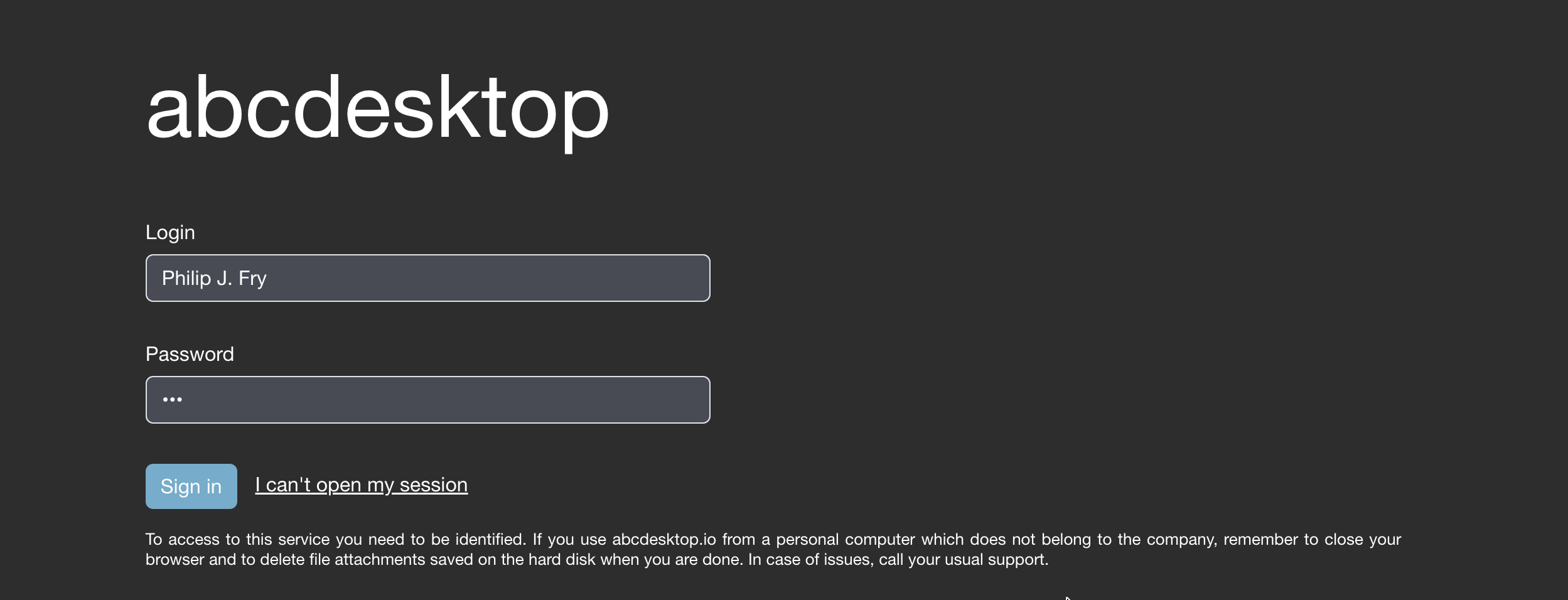
The pod is created with the requested resources.

- Get pod description
NAMESPACE=abcdesktop
kubectl get pods -l type=x11server -n $NAMESPACE
You should read on stdout
NAME             READY   STATUS    RESTARTS   AGE
fry-f7c42        4/4     Running   0          7s
Read the user's pod fry-f7c42 description, replace POD_NAME with your own pod.
NAMESPACE=abcdesktop
POD_NAME=fry-f7c42
kubectl describe pods $POD_NAME -n $NAMESPACE
A label executeclassname is set to the user's pod
Labels:           abcdesktop/role=desktop
                  access_provider=planet
                  access_providertype=ldap
                  access_userid=fry
                  access_username=philip-j.-fry
                  executeclassname=silver
                  ...
The resources limits and requests are set from the silver executeclass.
Resources:
  Limits:
    cpu:     4
    memory:  32Gi
  Requests:
    cpu:     2
    memory:  2Gi
- Read the executeclasse information from the web user interface
The dialog box settings:user information shows the user's labels
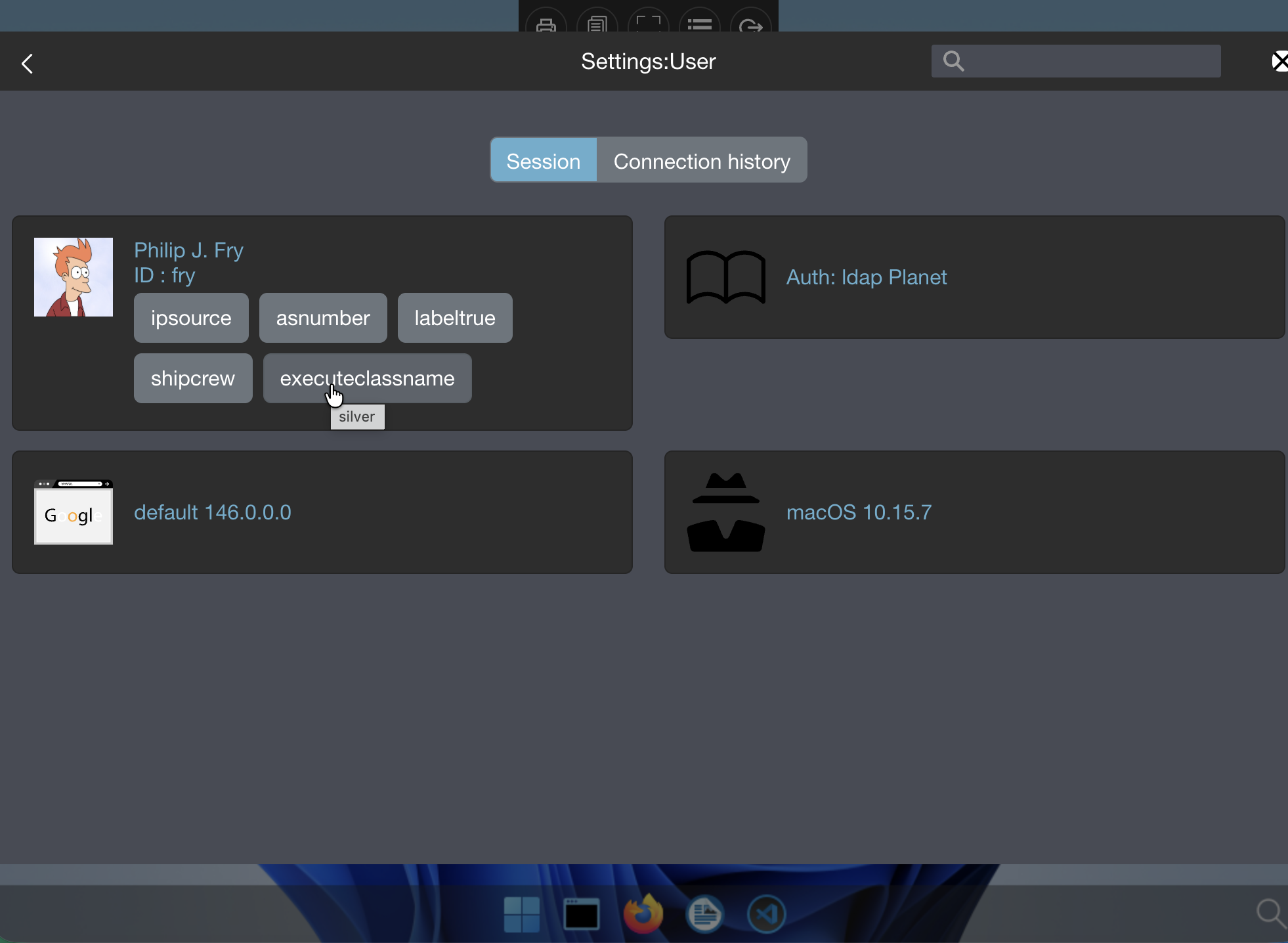
The current user chooses silver
- Open a webshell to read the environment variables.
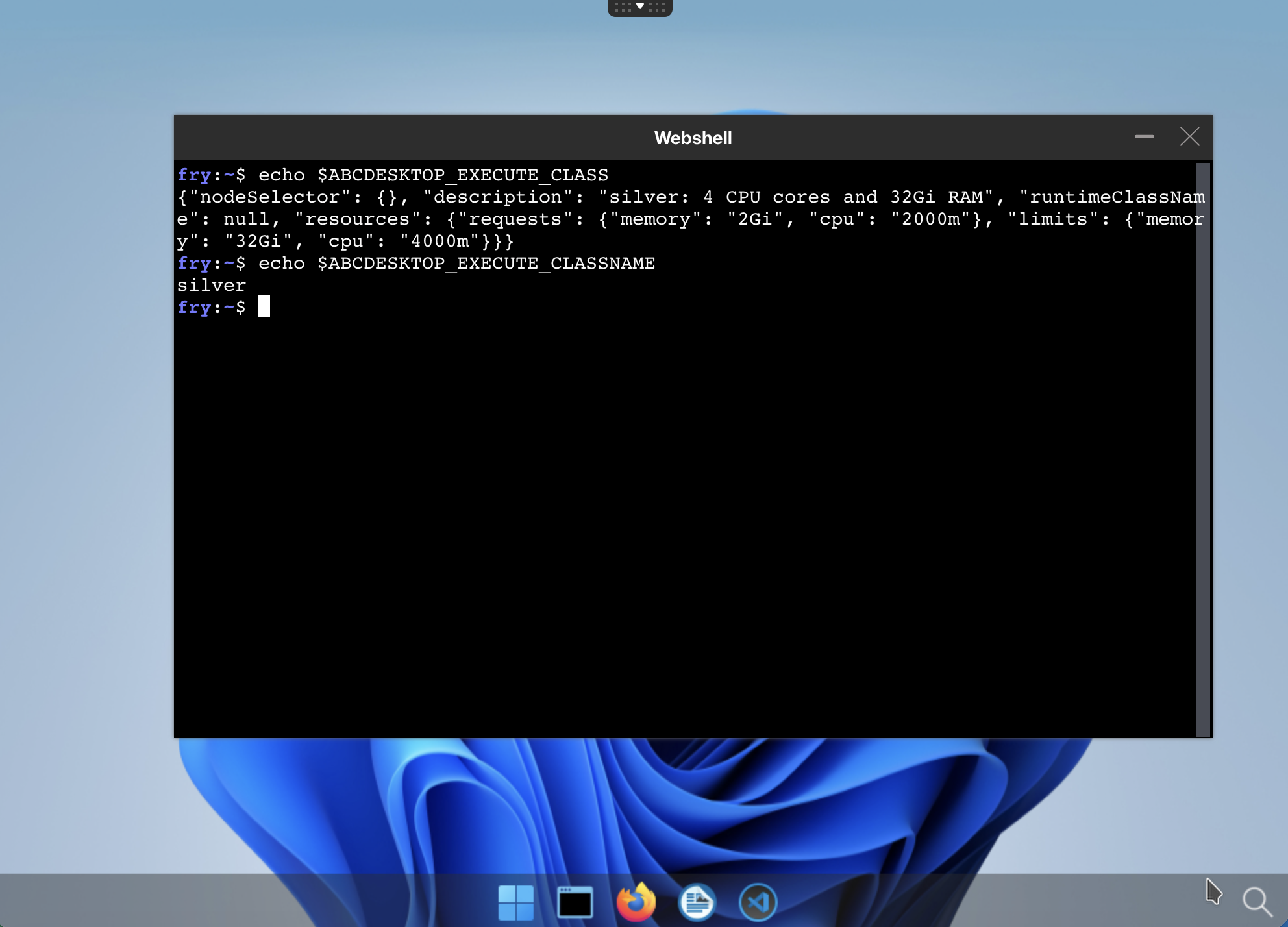
Inside the pod, the environment variable ABCDESKTOP EXECUTE_CLASSNAME is set to the value silver
echo $ABCDESKTOP EXECUTE_CLASSNAME
silver
Inside the pod, the environment variable ABCDESKTOP EXECUTE_CLASS is set to the selected json value.
echo $ABCDESKTOP_EXECUTE_CLASS
{"nodeSelector": {}, "description": "silver: 4 CPU cores and 32Gi RAM", "runtimeClassName": null, "resources": {"requests": {"memory": "2Gi", "cpu": "2000m"}, "limits": {"memory": "32Gi", "cpu": "4000m"}}}
Let user choose the executeclassname
To permit user to choose the executeclassname, change the option desktop.features_permissions in your abcdesktop config file.
desktop.features_permissions is a list of string.
# features_permissions
# read executeclasses and permit a user to set a dedicated class name as desktop features
# 'read' features_permissions is exposed to the frontend
# 'submit' features_permissions can be set to create a desktop
#
desktop.features_permissions : [ 'read', 'submit' ]
- to display the
desktop.features_permissionsputreadinto the list - to let user change the default executeclassname put
submitinto the list
This will change the abcdesktop login page, and write the description of each executeclasses entry, with the associated description.
In this case desktop.features_permissions : [ 'read', 'submit' ]
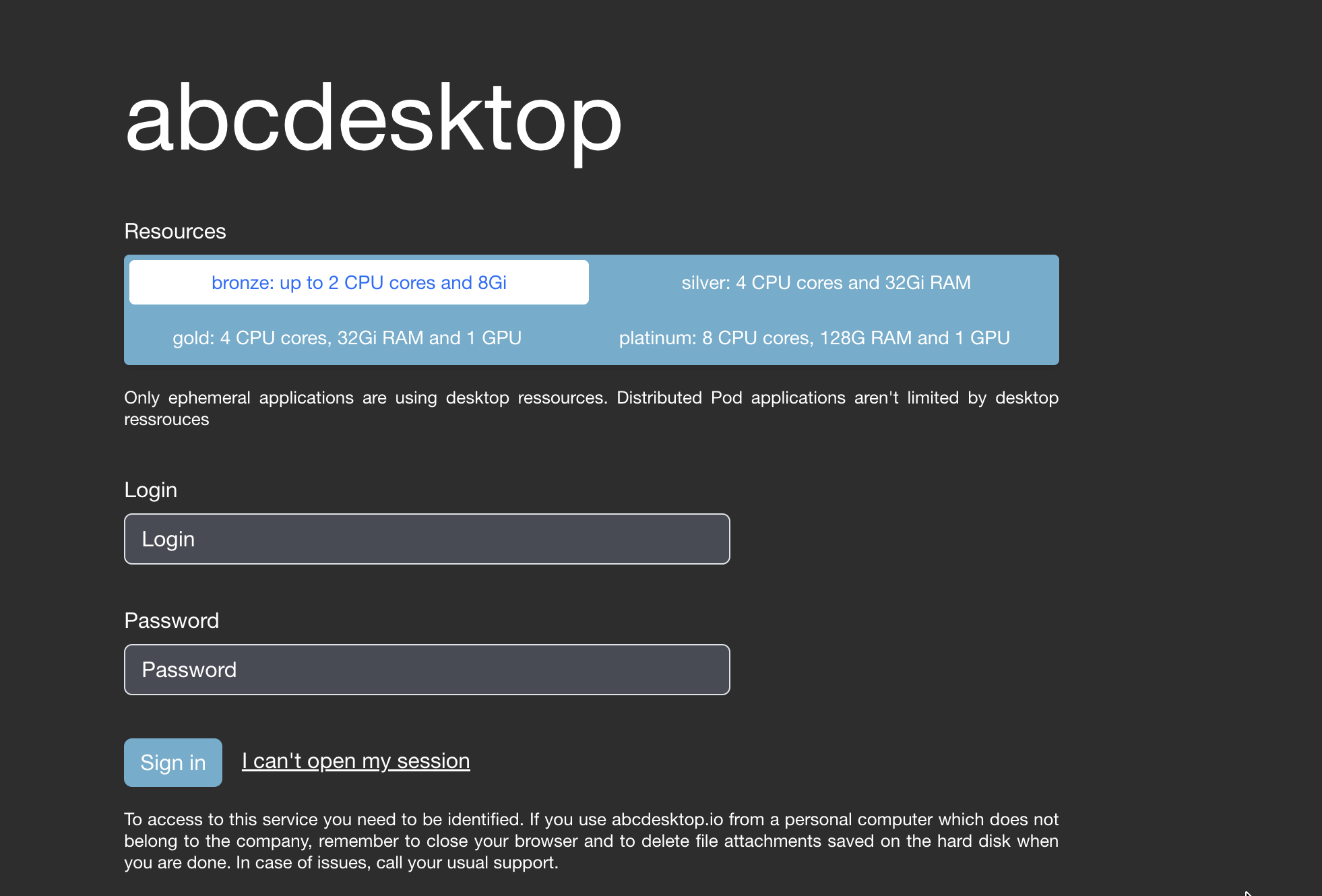
The user can choose on entry in the executeclasses values.
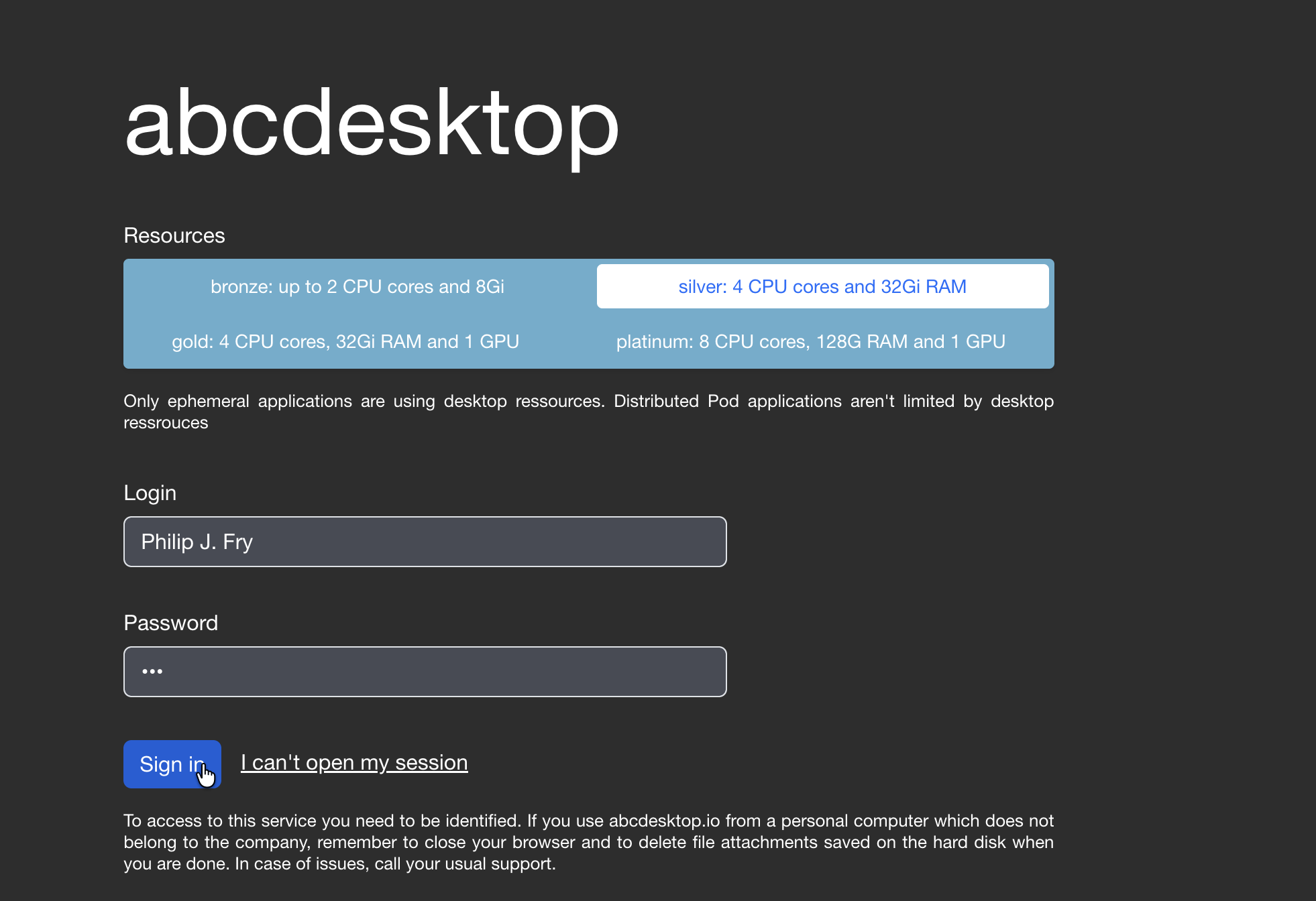
The executeclassname is set with the user's selected entry.
The current user chooses silver.
The pod is created with the requested resources.
- List the labels of the user's pod.
A label executeclassname is set to the user's pod
Labels:           abcdesktop/role=desktop
                  access_provider=planet
                  access_providertype=ldap
                  access_userid=fry
                  access_username=philip-j.-fry
                  executeclassname=silver
                  ...
The resources limits and requests are set from the silver executeclass.
Resources:
  Limits:
    cpu:     4
    memory:  32Gi
  Requests:
    cpu:     2
    memory:  2Gi
The dialog box settings:user information shows the user's labels
The current user chooses silver
- Open a webshell to read the environment variables.
Inside the pod, the environment variable ABCDESKTOP EXECUTE_CLASSNAME is set to the value silver
echo $ABCDESKTOP EXECUTE_CLASSNAME
silver
Inside the pod, the environment variable ABCDESKTOP EXECUTE_CLASS is set to the selected json value.
echo $ABCDESKTOP_EXECUTE_CLASS
{"nodeSelector": {}, "description": "silver: 4 CPU cores and 32Gi RAM", "runtimeClassName": null, "resources": {"requests": {"memory": "2Gi", "cpu": "2000m"}, "limits": {"memory": "32Gi", "cpu": "4000m"}}}
Great! You can adjust the resources for your pod either by creating rules or by allowing your users to select from the resources already defined in a dictionary.