Shared Volumes
Users may need to access shared files. If you can't create persistent volumes on your cluster, this page describe how to access a shared '/mnt/shared_data' hostPath using rules
Check your rules in authmanagers ldapconfig
Note
The ldapconfig for demo ldap server add few default rules. To get more information about the ldap server read the docker-test-openldap web page.
The user Philip J. Fry is member of the group ship_crew.
Detail of ship_crew group cn=ship_crew,ou=people,dc=planetexpress,dc=com
| Attribute | Value |
|---|---|
| objectClass | Group |
| cn | ship_crew |
| member | cn=Turanga Leela,ou=people,dc=planetexpress,dc=com |
| member | cn=Philip J. Fry,ou=people,dc=planetexpress,dc=com |
| member | cn=Bender Bending Rodríguez,ou=people,dc=planetexpress,dc=com |
ldapconfig : {
        'planet': {
                'default'       : True,
                'ldap_timeout'  : 15,
                'ldap_protocol' : 'ldap',
                'ldap_basedn'   : 'ou=people,dc=planetexpress,dc=com',
                'servers'       : [ 'openldap' ],
                'secure'        : False,
                'serviceaccount': { 'login': 'cn=admin,dc=planetexpress,dc=com', 'password': 'GoodNewsEveryone' },
                'policies': {
                    'acls': None,
                    'rules' : {
                        'rule-dummy' : {
                            'conditions' : [ {'boolean':True, 'expected':True } ],
                            'expected' : True,
                            'label':'labeltrue'
                        },
                        'rule-ship': {
                            'conditions' : [ { 'memberOf': 'cn=ship_crew,ou=people,dc=planetexpress,dc=com',   'expected' : True  } ],
                            'expected' : True,
                            'label':'shipcrew'
                        },
                        'rule-test': {
                            'conditions' : [ { 'memberOf': 'cn=admin_staff,ou=people,dc=planetexpress,dc=com', 'expected' : True  } ],
                            'expected' : True,
                            'label': 'adminstaff'
                        }
                    }
                } } }
This provider defines 3 rules :
labeltruealways for all usersshipcrewif the user is member ofcn=ship_crew,ou=people,dc=planetexpress,dc=comgroupadminstaffif the user is memberofcn=admin_staff,ou=people,dc=planetexpress,dc=comgroup
Start your web brower and login in as Philip J. Fry to you abcdesktop web service.
- Open the
Menu|Usertab
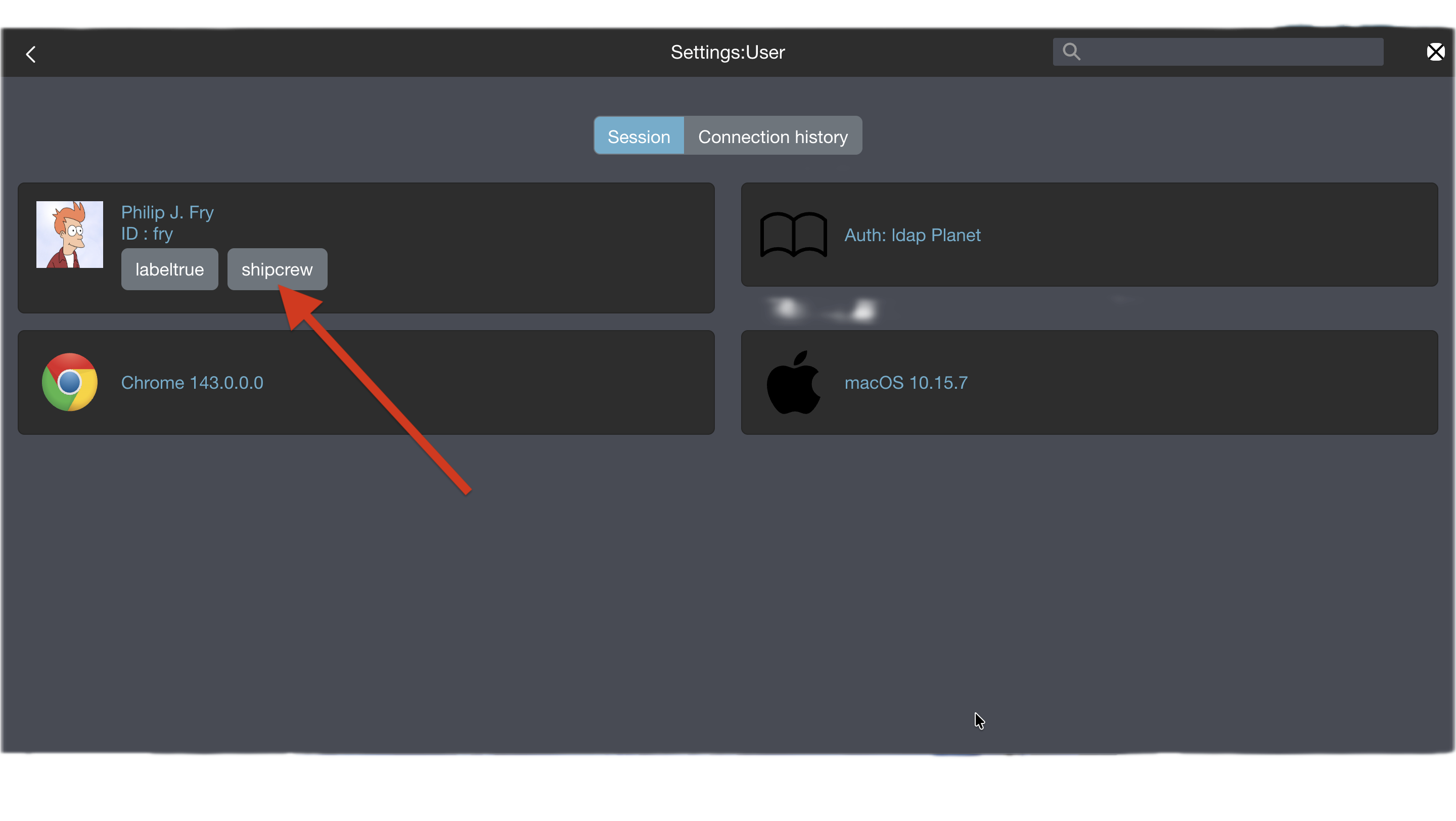
When Philip J. Fry is logged in, Philip J. Fry gets the labels labeltrue and shipcrew.
Define volume using hostPath
Update od.config file
Add rules to the desktop.policies dictionary
desktop.policies: {
  'rules': {
    'volumes': {
      'shipcrew': {
        'type': 'hostPath',
        'name': 'mntmyproject',
        'path': '/mnt',
        'mountPath': '/mnt/shared_data'
      }
    },
    'network': {}
  },
  'acls' : {} }
On your worker node, make sure that the
/mntdirectory exists.
This policy adds a new volume mntmyproject defined as a hostPath to the users's pod and mount it as /mnt/shared_data.
Save your od.config file
Apply the new config file
Replace the previous configmap
NAMESPACE=abcdesktop
kubectl create -n $NAMESPACE configmap abcdesktop-config --from-file=od.config -o yaml --dry-run=client | kubectl replace -n $NAMESPACE -f -
Expected output
configmap/abcdesktop-config replaced
Restart pyos to apply the new config map
NAMESPACE=abcdesktop
kubectl rollout restart deployment pyos-od -n $NAMESPACE
Expected output
deployment.apps/pyos-od restarted
Your new config is ready to use
Restart a new desktop as Philip J. Fry
- Create a new desktop for
Philip J. Fry - Get the name of the
Philip J. Frypod
NAMESPACE=abcdesktop
kubectl get pods -l type=x11server -n $NAMESPACE
NAME        READY   STATUS    RESTARTS   AGE
fry-06c5f   4/4     Running   0          3m24s
- Describe the
Philip J. Frypod, and look for theMountsandVolumesentries
NAMESPACE=abcdesktop
kubectl desribe pods fry-06c5f -n $NAMESPACE
The mount for hostpath-mntmyproject-fry is defined to /mnt/shared_data
    Mounts:
      /etc/sudoers.d from sudoers (rw)
      /home/fry from home (rw)
      /home/fry/.cache from cache (rw)
      /mnt/shared_data from hostpath-mntmyproject-fry (rw)
      /run/user/ from runuser (rw)
      /tmp from tmp (rw)
      /tmp/.X11-unix from x11socket (rw)
      /tmp/.cupsd from cupsdsocket (rw)
      /var/lib/extrausers from extrausers (rw)
      /var/log/desktop from log (rw)
      /var/run/dbus from rundbus (rw)
      /var/run/desktop from run (rw)
      /var/secrets/abcdesktop/vnc from auth-vnc-fry (rw)
The volume hostpath-mntmyproject-fry is defined as
  hostpath-mntmyproject-fry:
    Type:          HostPath (bare host directory volume)
    Path:          /mnt
    HostPathType:  DirectoryOrCreate
A new Mount is defined as /mnt/shared_data from hostpath-mntmyproject-fry (rw) and a new volume hostpath-mntmyproject-fry is defined as HostPath to the Path /mnt
Check that your file system's permissions are set to your users
The volume hostpath-mntmyproject-fry is also mounted for applications ephemeral containers and pods.
-
Start the
webshellapplication in the web interface -
Now create a file inside the
/mnt/shared_datafolder, for examplehello.txt
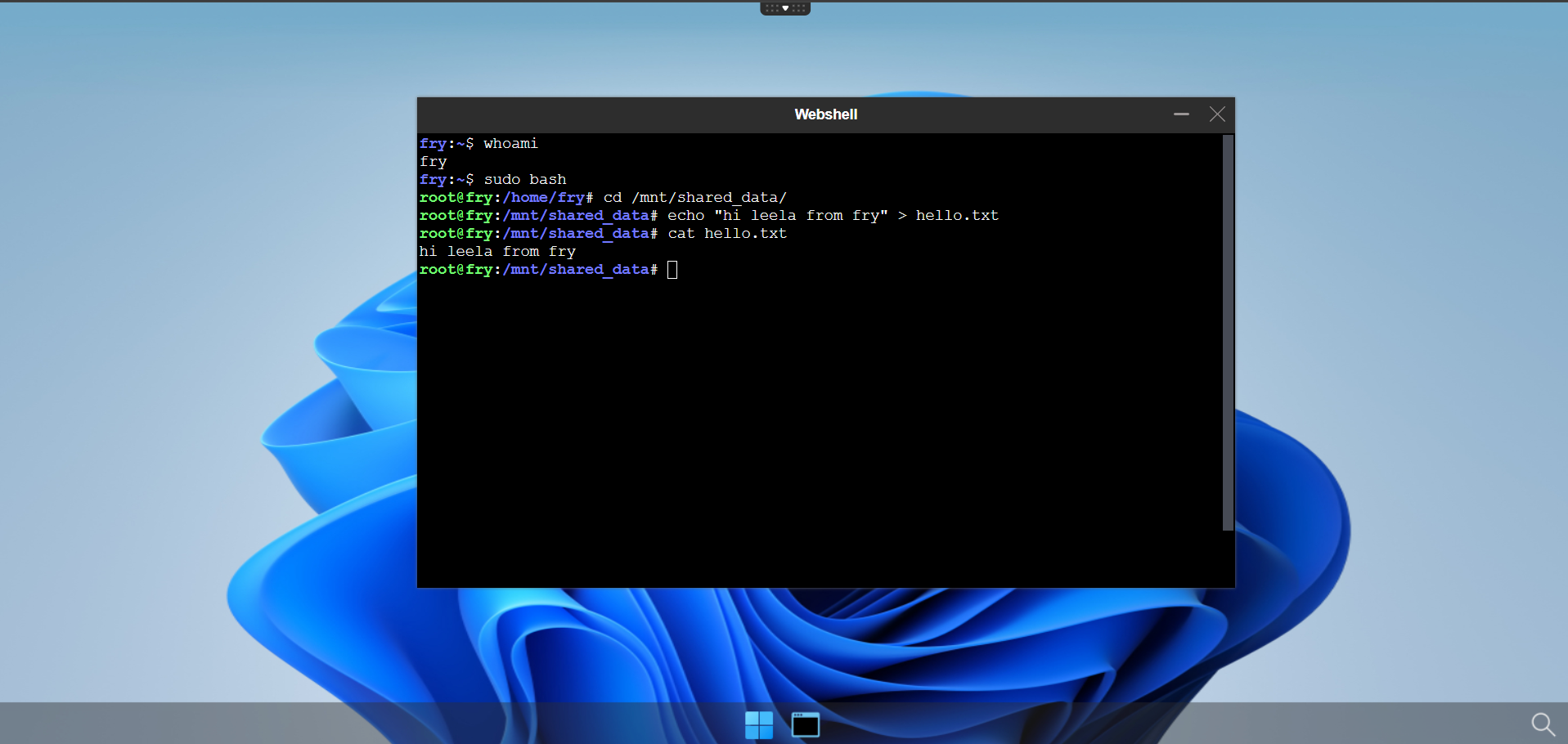
Start a new desktop as Turanga Leela
Now start a desktop as Turanga Leela. As a member of the shipcrew group, you should see the file you created with Philip J. Fry.
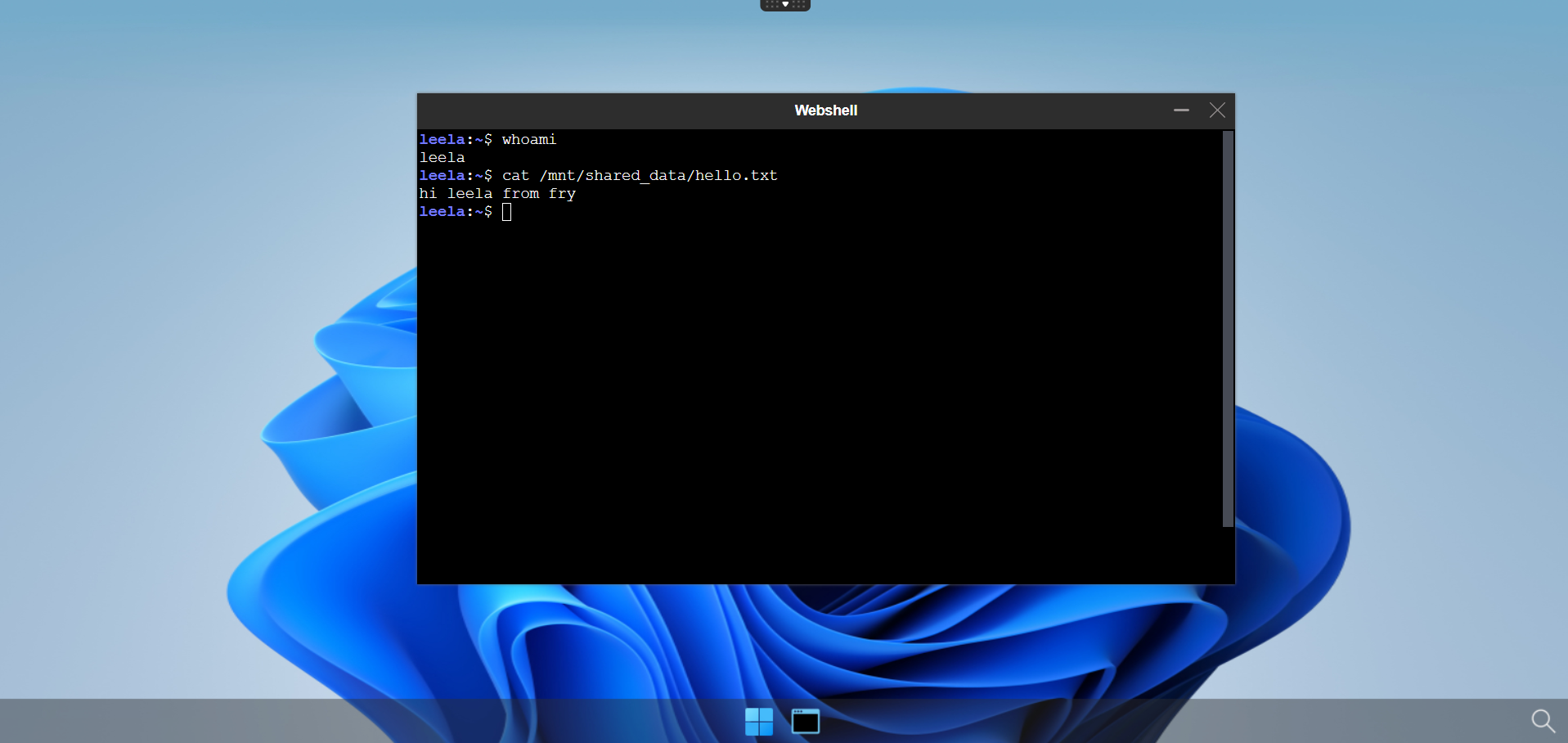
Define volume using pvc bounded on nfs server
Note
For this part of the tutorial, you should have a NFS server already configured. If not please follow the first chapter of this tutorial.
Create nfs type PersistentVolume
To begin with, you will have to create a nfs type PersistentVolume that will be bound to your nfs server.
Here is an example of yaml file that describes a nfs type PersistentVolume. Let's call it nfs-pv-shared-data-abcdesktop.yaml
apiVersion: v1
kind: PersistentVolume
metadata:
  name: shared-shipcrew-pv
spec:
  capacity:
    storage: 1Gi
  accessModes:
    - ReadWriteMany
  persistentVolumeReclaimPolicy: Retain
  storageClassName: ""
  claimRef:     # Define here claimName and namespace for bounding your PVC
    name: shared-shipcrew-pvc
    namespace: abcdesktop     # You can replace it by your abcdesktop namespace if different
  nfs:
    path: /data/nfs_share/shared_data_shipcrew
    server: X.X.X.X     # Here goes your nfs server IP address
Then apply by running this command :
kubectl apply -f nfs-pv-shared-data-abcdesktop.yaml
Create PersistentVolumeClaim
Now that our PersistentVolume is created and linked to our nfs server. We now have to created a PersistentVolumeClaim that we will bien to the previously created shared-shipcrew-pv PersistentVolume.
Paste the following lines to a nfs-pvc-shared-data-abcdesktop.yaml file
apiVersion: v1
kind: PersistentVolumeClaim
metadata:      # This matches the claimRef field of the PV yaml file
  name: shared-shipcrew-pvc
  namespace: abcdesktop     # Or your abcdesktop namespace if different
spec:
  accessModes:
    - ReadWriteMany
  resources:
    requests:
      storage: 1Gi
  storageClassName: ""
  volumeName: shared-shipcrew-pv      # Name of your persistent volume
Warning
It is very important to set accessModes to ReadWriteMany, otherwise you won't be able to mount several user pods on the same PVC, so the shared data aspect does not make sense anymore.
Then apply it by running the following command
NAMESPACE=abcdesktop
kubectl apply -f nfs-pvc-shared-data-abcdesktop.yaml -n $NAMESPACE
You can check if both of the PV and PVC have been correctly bounded
NAMESPACE=abcdesktop
kubectl get pvc -n $NAMESPACE
NAME                  STATUS   VOLUME               CAPACITY   ACCESS MODES   STORAGECLASS   VOLUMEATTRIBUTESCLASS   AGE
shared-shipcrew-pvc   Bound    shared-shipcrew-pv   1Gi        RWX                           <unset>                 67m
kubectl get pv
NAME                 CAPACITY   ACCESS MODES   RECLAIM POLICY   STATUS   CLAIM                            STORAGECLASS   VOLUMEATTRIBUTESCLASS   REASON   AGE
shared-shipcrew-pv   1Gi        RWX            Retain           Bound    abcdesktop/shared-shipcrew-pvc                  <unset>                          3h11m
Update od.config file
Add rules to the desktop.policies dictionary
desktop.policies: {
  'rules': {
    'volumes': {
      'shipcrew': {
        'type': 'pvc',
        'name': 'shared-shipcrew-pvc',
        'claimName': 'shared-shipcrew-pvc',
        'mountPath': '/mnt/shared_data_pvc'
      }
    },
    'network': {}
  },
  'acls' : {} }
On your worker node, make sure that the
/mntdirectory exists.
This policy adds a new volume shared-shipcrew-pvc defined as a pvc to the users's pod and mount it as /mnt/shared_data_pvc.
Save your od.config file
Apply the new config file
Replace the previous configmap
NAMESPACE=abcdesktop
kubectl create -n $NAMESPACE configmap abcdesktop-config --from-file=od.config -o yaml --dry-run=client | kubectl replace -n $NAMESPACE -f -
Expected output
configmap/abcdesktop-config replaced
Restart pyos to apply the new config map
NAMESPACE=abcdesktop
kubectl rollout restart deployment pyos-od -n $NAMESPACE
Expected output
deployment.apps/pyos-od restarted
Your new config is ready to use
Restart a new desktop as Philip J. Fry
- Create a new desktop for
Philip J. Fry - Get the name of the
Philip J. Frypod
NAMESPACE=abcdesktop
kubectl get pods -l type=x11server -n $NAMESPACE
NAME        READY   STATUS    RESTARTS   AGE
fry-06c5f   4/4     Running   0          3m24s
- Describe the
Philip J. Frypod, and look for theMountsandVolumesentries
kubectl desribe pods fry-06c5f -n abcdesktop
The mount for pvc-shared-shipcrew-pvc-fry is defined to /mnt/shared_data_pvc
    Mounts:
      /etc/sudoers.d from sudoers (rw)
      /home/fry from home (rw)
      /home/fry/.cache from cache (rw)
      /mnt/shared_data_pvc from pvc-shared-shipcrew-pvc-fry (rw)
      /run/user/ from runuser (rw)
      /tmp from tmp (rw)
      /tmp/.X11-unix from x11socket (rw)
      /tmp/.cupsd from cupsdsocket (rw)
      /var/lib/extrausers from extrausers (rw)
      /var/log/desktop from log (rw)
      /var/run/dbus from rundbus (rw)
      /var/run/desktop from run (rw)
      /var/secrets/abcdesktop/vnc from auth-vnc-fry (rw)
The volume pvc-shared-shipcrew-pvc-fry is defined as
  pvc-shared-shipcrew-pvc-fry:
    Type:        PersistentVolumeClaim (a reference to a PersistentVolumeClaim in the same namespace)
    ClaimName:   shared-shipcrew-pvc
    ReadOnly:    false
A new Mount is defined as /mnt/shared_data_pvc from pvc-shared-shipcrew-pvc-fry (rw) and a new volume pvc-shared-shipcrew-pvc-fry is defined as HostPath to the Path /mnt
Check that your file system's permissions are set to your users
The volume pvc-shared-shipcrew-pvc-fry is also mounted for applications ephemeral containers and pods.
-
Start the
webshellapplication in the web interface -
Now create a file inside the
/mnt/shared_data_pvcfolder, for examplehello.txt
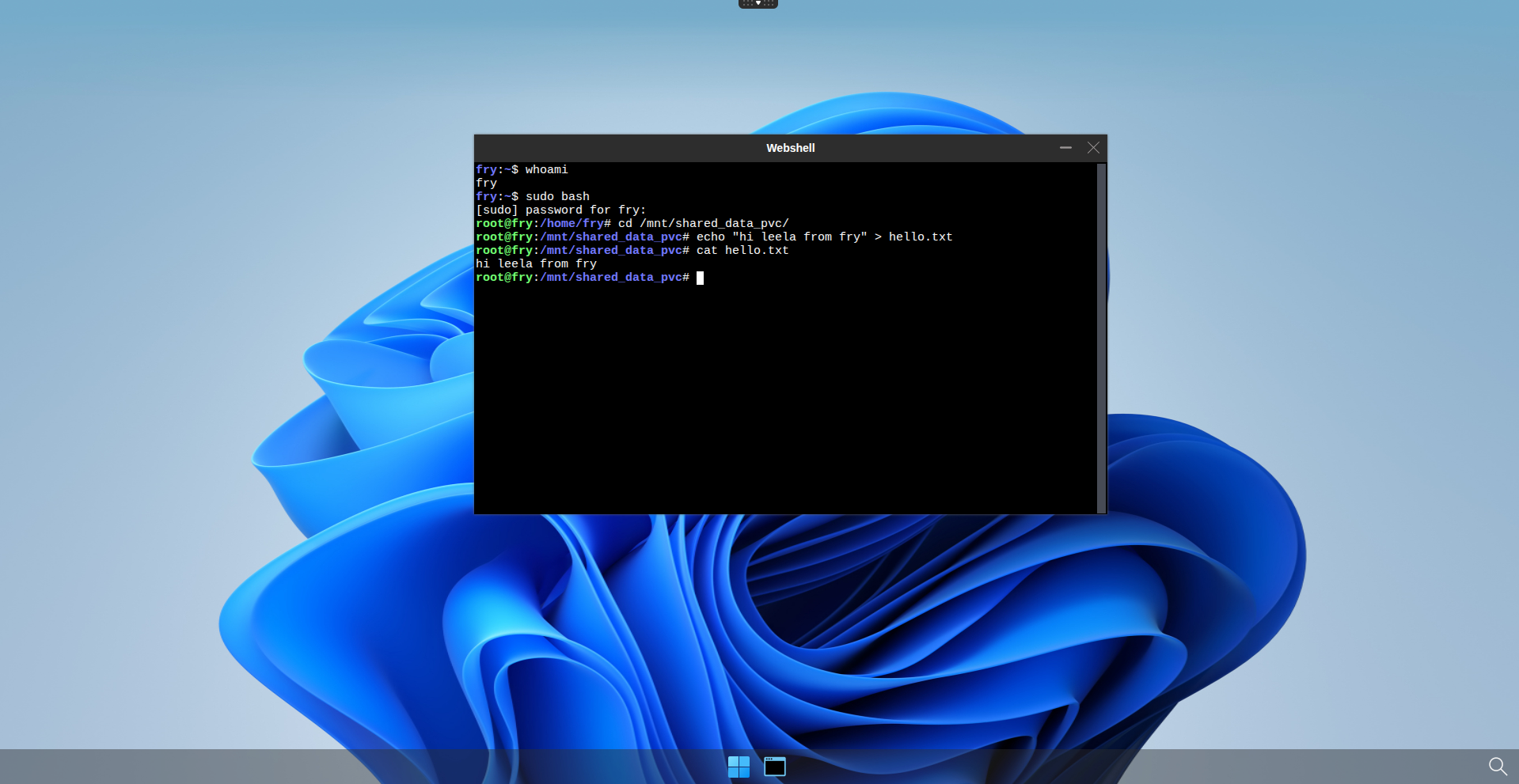
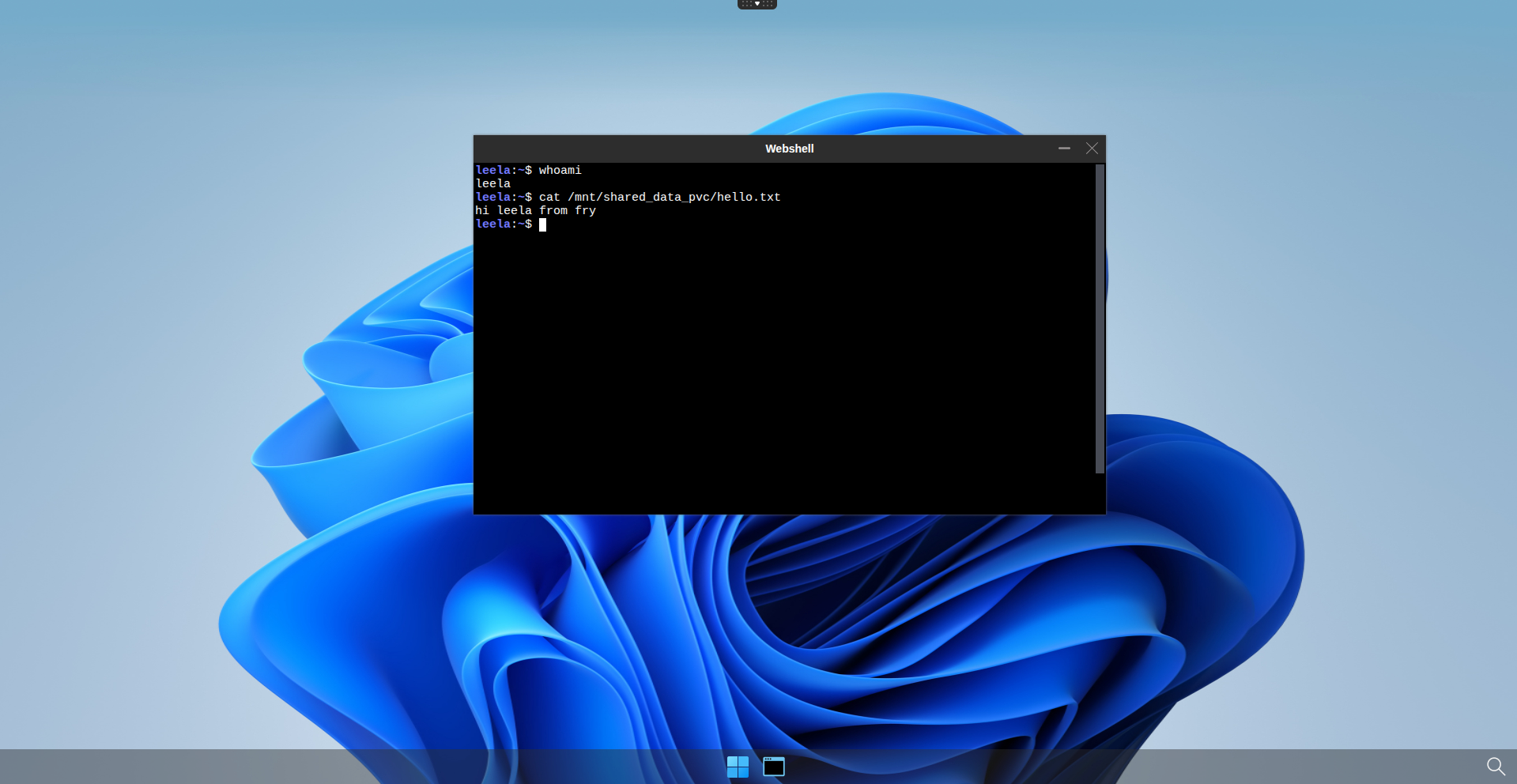
Start a new desktop as Turanga Leela
Now start a desktop as Turanga Leela. As a member of the shipcrew group, you should see the file you created with Philip J. Fry.
Info
Note that you should be able to see hello.txt on your NFS server too.